In 2026, a survey by Black Book Market Research discovered that only 11% of physician practices are actively planning a major EHR replacement within the next year, and most of the other 89% are sticking with a system they dislike just because they believe switching is harder than it actually is.
The secret to changing EMR vendors without losing patient data is simple: extract and validate every record before you turn off access to the old system, not after you have already signed a contract with the new one.
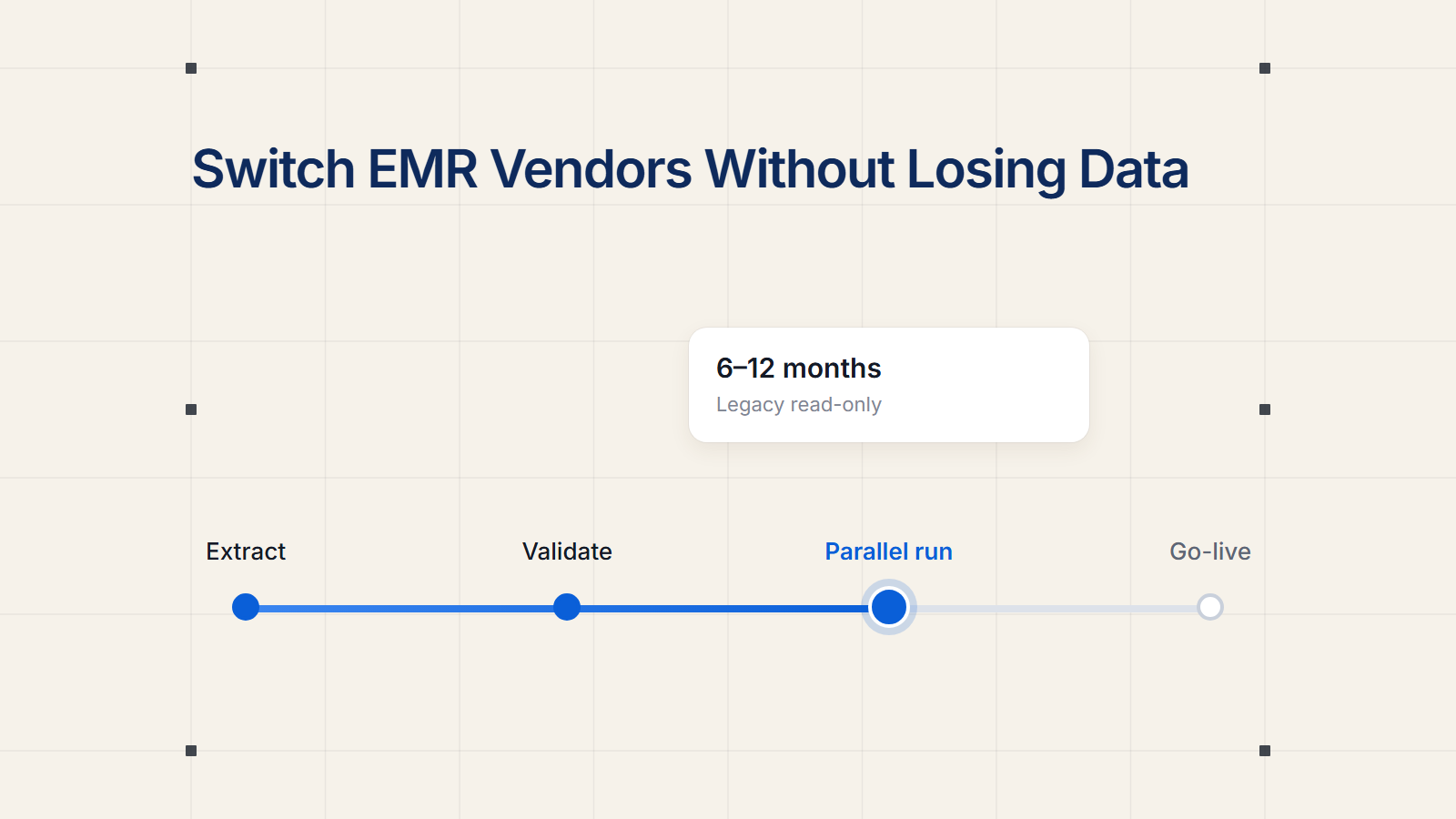
Safely changing EMR vendors requires structured data extraction, validation and a parallel run, not a single cutover. Most EHR data migrations take 6 to 12 weeks from planning to completion. Solo practices typically complete in 4 to 6 weeks, while large multi-site organizations can take 3 to 6 months. No data is sent out of the legacy system until validation confirms that it is correct.
This guide walks through the actual migration process, realistic timelines by practice size, what data moves and what doesn’t, and where the hidden costs are so you can budget before you commit.
Changing EMR Vendors: What the Process Really Looks Like
The practices that almost always get burned in a migration are missing a step – not because the step is hard, but because no one assigned it to a specific person. The process below is the order in which vendors and migration specialists go about moving a practice from one EMR to another.
The Six Step Migration Process
Step 1: Inventory your current data
Before talking to a new vendor, take stock of what’s in your current system: How many active patients? How far back do your records go? What data exists in add-on modules like imaging or billing that might not be part of a standard export?
Step 2: Sign with new vendor and get BAA in place
Your new vendor signs a Business Associate Agreement before any patient data is transferred. It is a contractual requirement, not a certification, under HIPAA and should include the scope and timeline of the migration and which party pays for data extraction fees.
Step 3. Clean and extract legacy data
Clinical data is usually extracted as CCDA files and demographic and billing data is exported as CSVs. The CCDA standard is the required way for certified EHRs to export medical data . This is why you see this format in almost all vendor to vendor migrations .
Step 4: Build and test the new system
This is where you configure. Templates, order sets, billing rules, user permissions. Before anyone treats a patient in the new system, staff or a migration vendor spot-check a sample of migrated charts against the original records.
Step 5: Run both systems together
Most practices maintain read-only access to the legacy EHR for 6 to 12 months after go-live. This gives them a safety net for looking up historical data that may not have migrated. Some vendors shorten this to a two- to four-week overlap window for smaller practices.
Step 6: Go live and decommission the legacy system
Review your legacy vendor contract for data retention obligations and ensure all data is securely exported or archived prior to the decommissioning of the legacy system. Make sure it’s confirmed in writing before the old contract expires.
How Long Does It Take to Switch EMR Systems in 2026
Timelines scale with the number of providers and how many outside systems your EMR talks to, not just the number of patients in your database.
| Practice Size | Typical Migration Timeline |
|---|---|
| Solo practice (1 provider) | 4 to 6 weeks |
| Mid-size practice (5 to 10 providers) | 6 to 10 weeks |
| Multi-location group | 10 to 24 weeks, in location-by-location waves |
| Large practice (50+ providers) | 6 to 12 months |
Source: MedicalRecords.com Data Migration Guide, 2026; Sprypt EMR Migration Guide, 2026.
Most practices with 50 or more providers will plan for a migration in quarters rather than weeks given the workflow redesign, interface buildout and phased go-live across locations that is typically involved. Provider productivity falls 15 to 30 percent during the go-live month, and most practices never get back to baseline collections velocity for a full quarter thereafter.
What happens to patient data when you change EMRs
Buyers often think of migration as being all-or-nothing. In practice vendors export certain categories and anything outside these categories has to be handled manually or archived separately.
- Patient demographics and insurance data
- Medication, allergies, and problem list
- Vaccination records and lab work
- Clinical notes and history of encounters
- Billing history and outstanding balance
A normal migration takes 10 categories of clinical and administrative data from the old system to the new. Under federal rules, certified Health IT must be able to export Electronic Health Information (EHI) including payment data, imaging, and any data stored in the module at time of export for a single patient and the patient population. That population-level export is there to allow patients to be transferred to another EHR or between health IT systems.”
Free-text scanned documents, custom report templates and legacy imaging attachments that are stored outside of the core database typically do not translate well. Assign budget staff time to reconcile these manually instead of letting the export do all the work.
EMR Data Migration Cost by Practice Size
Migration cost is almost never accounted for in the base subscription price of the new vendor. It is one of the most commonly underestimated line items in a switch.
| Practice Size | Typical Migration Cost |
|---|---|
| 1 to 4 providers | $8,000 to $25,000 |
| 5 to 10 providers (e.g., NextGen to athenahealth) | $15,000 to $100,000 |
| Large multi-site (50+ providers) | $30,000 to $100,000 or more |
Source: KevinMD, 2026; MedicalRecords.com Migration Guide, 2026.
The cost item most practices budget for is the data migration fee, typically $8,000 to $25,000 for a one to four provider clinic, but that number does not cover everything. Each bidirectional interface to labs, pharmacies, or clearinghouses costs $100 to $500 per month or a one-time fee of $2,000 to $8,000, and a typical practice needs 3 to 6 interfaces. Ask for a written quote covering extraction, validation, training, and interface rebuilding before you sign, since a contract should never assume data migration is included, and you should get a written quote for migration scope, timeline, and what data fields will transfer.